
AI-native academies for modern teams
AI-native LMS for branded academiesLaunch your own learning academy.
Create a branded academy, build practical courses, invite your team, and give learners an AI tutor grounded in your content.

The platform
Everything you need to launch, manage and grow your academy.
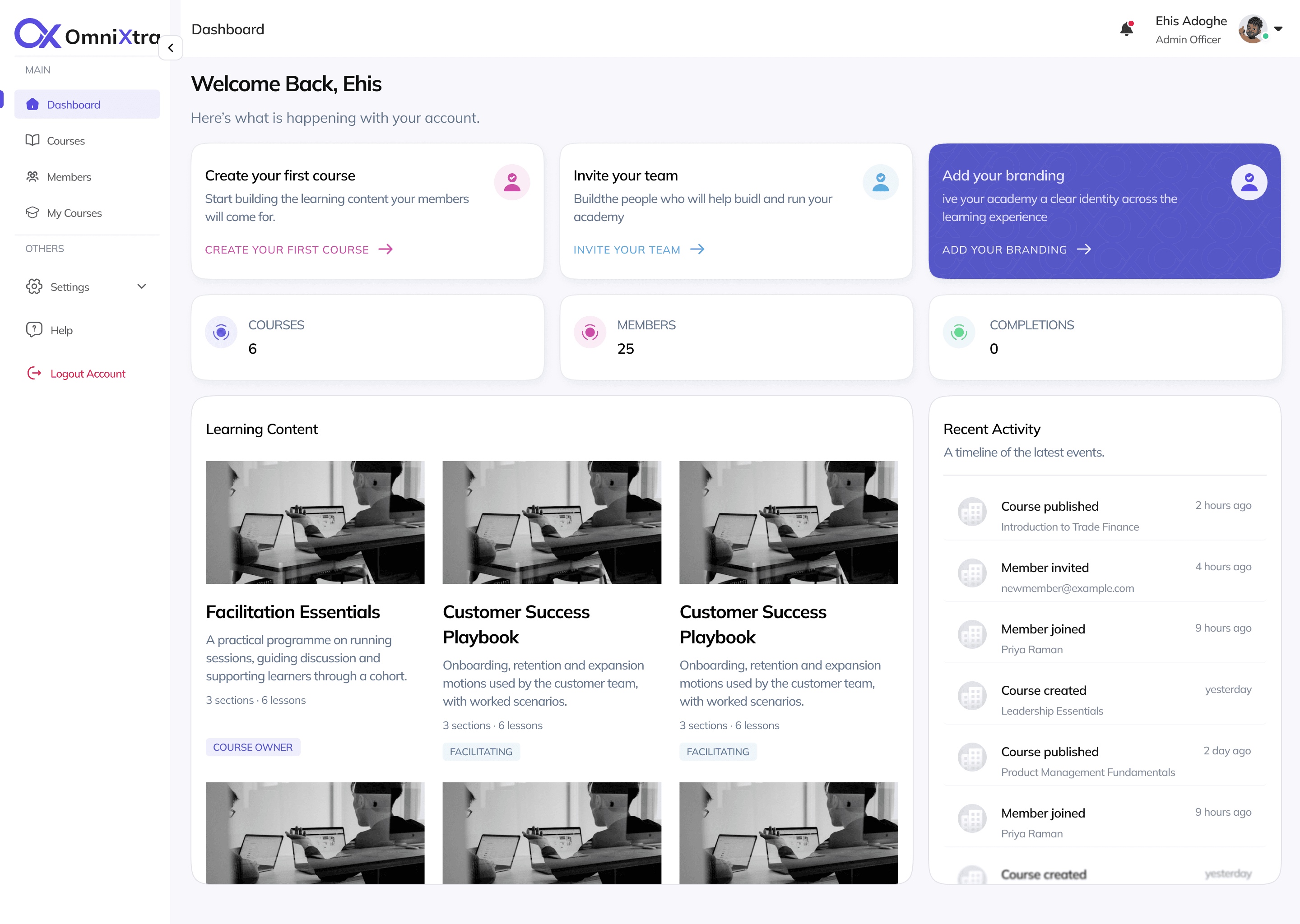
OmniXtra gives teams the building blocks of a learning academy without assembling an LMS from scratch.
Branded academy
Create a learning environment that looks and feels like your brand.
Learning progress
See course completion, learner progress and academy activity from one place.
Practical course creation
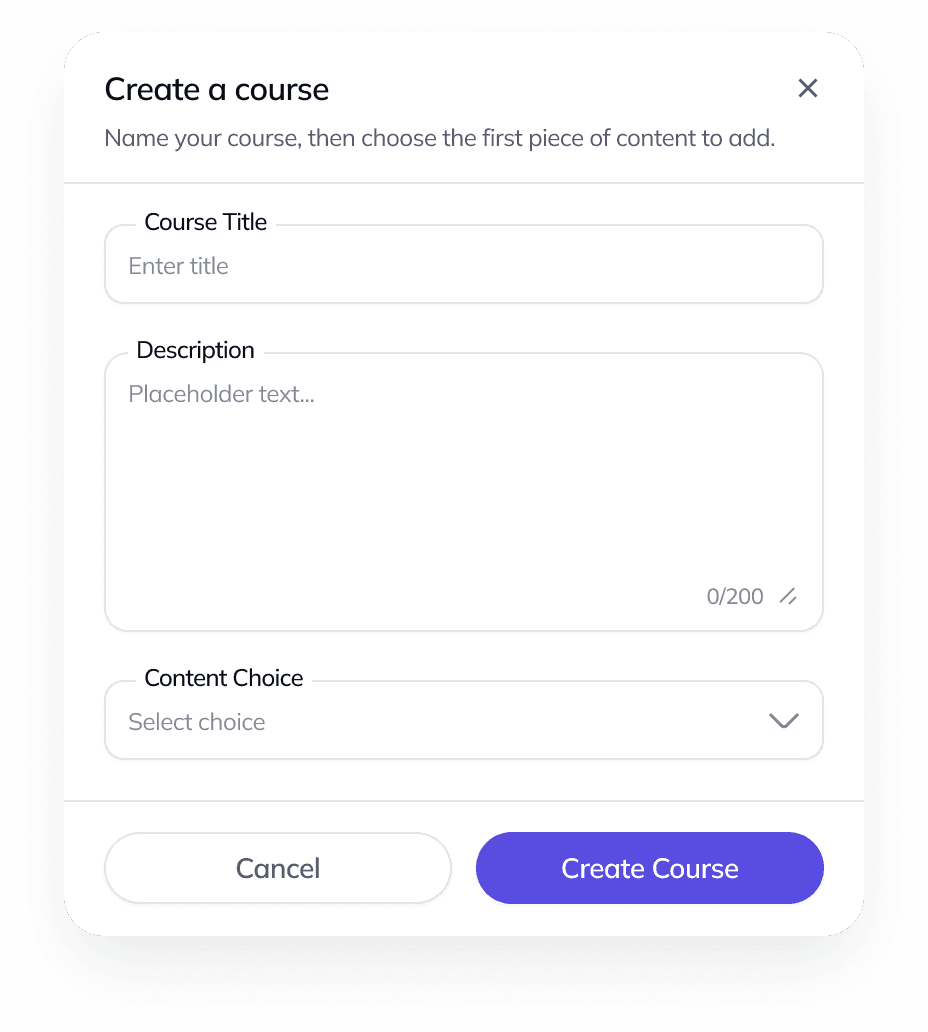
Build structured courses with lessons, content, video, images, web content and quizzes.
What's the difference between enrolment and membership?
Membership defines where you belong; enrolment defines what you can do in a course.
Can you show me the source lesson?
AI tutor
Give learners contextual help powered by the material inside each course.
 Owner
Owner Facilitator
 Owner
Owner Learner
 Learner
Flexible roles
Give admins, course owners, facilitators and learners the right level of access.
Simple member management
Invite your team and control academy access from one place.
How it works
From idea to learning academy in four steps.
A direct setup path from the first academy decision to measurable learning.
- [01]
Create your academy
Set up your academy and establish your brand.
- [02]
Build your courses
Create structured learning content using simple course-building tools.
- [03]
Invite your team
Bring in admins, course teams and learners with controlled access.
- [04]
Teach, learn and track
Learners progress through courses while your team monitors activity and completion.
Academy operations
Run your academy from one place.
Admins keep courses, people, progress and billing moving without switching tools.
- Academy overview
- Courses
- Members
- Billing
- Progress and activity

Branded academy
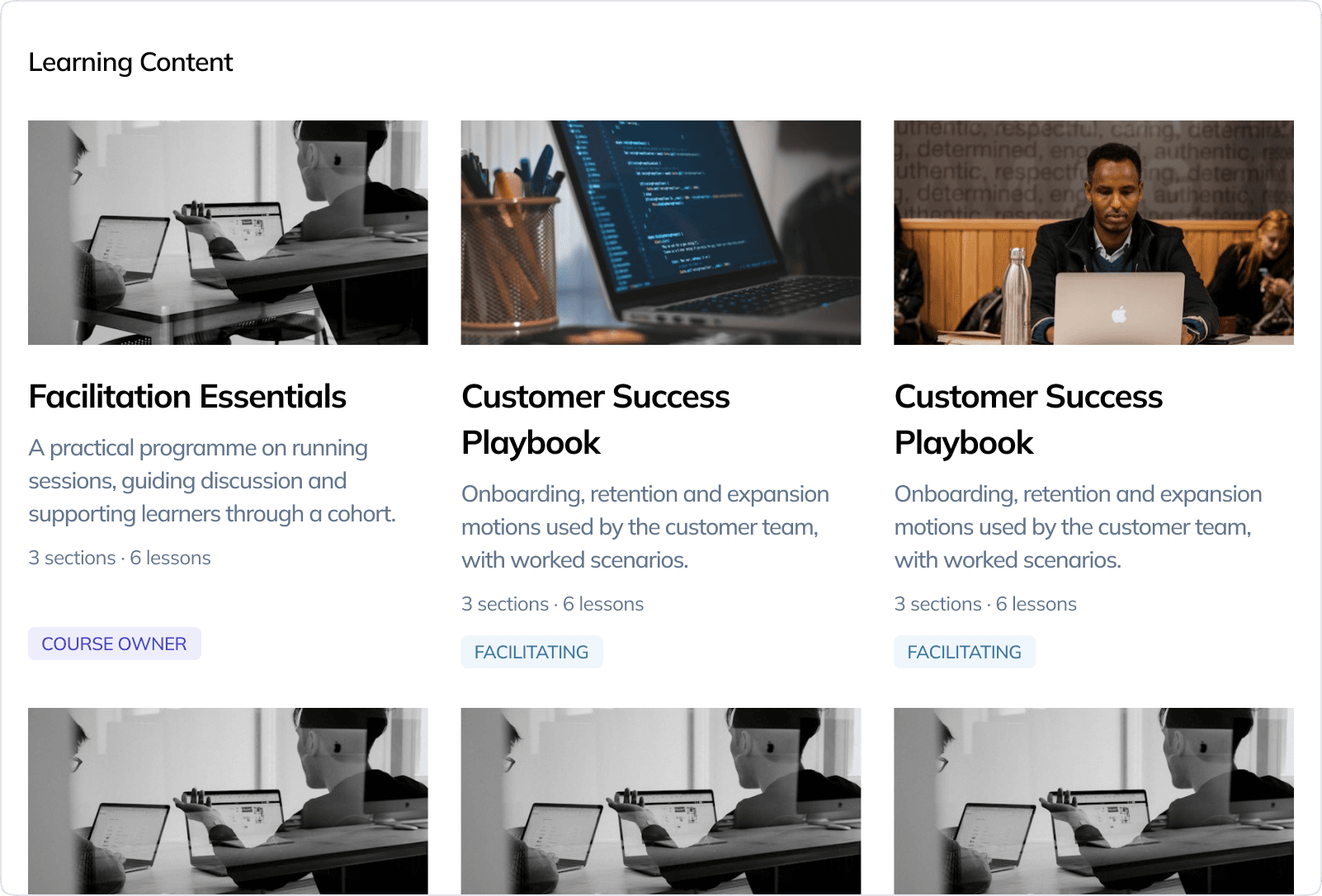
Make learning feel like yours.
Give your academy its own identity with learning experiences designed around your brand.
- Your identity across the learner experience
- A course catalogue your teams recognize
- A learning space that carries your brand

Course creation
Build practical courses without the complexity.
Create lessons and add the content your learners actually need.
- Content
- Web content
- Video
- Images
- Quizzes
Learner experience
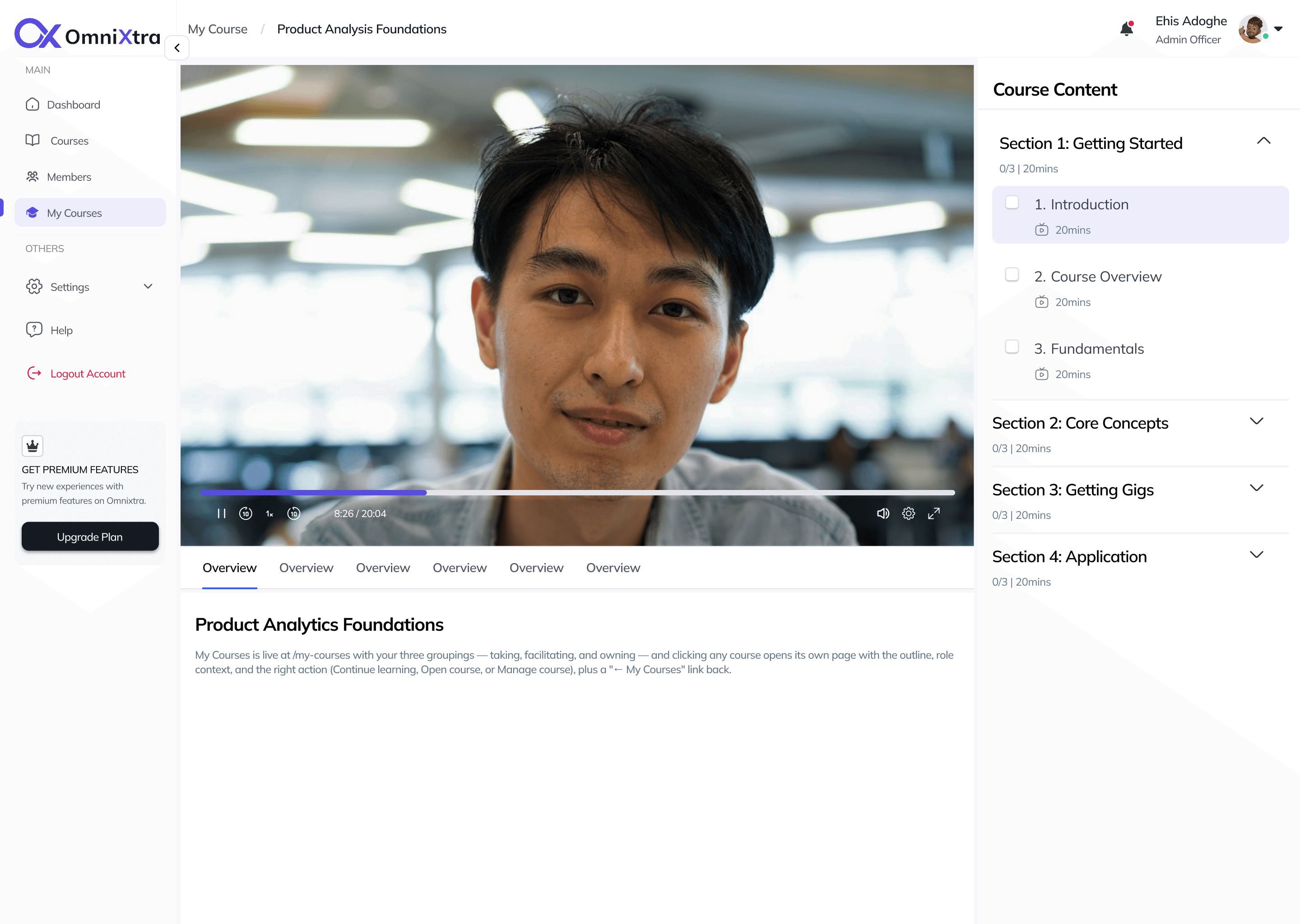
Give learners a clearer way to learn.
From their first lesson to completion, learners always know where they are and what comes next.
- Course outline and current lesson
- Progress towards completion
- Lesson content and quizzes
- AI tutor inside the course

AI tutor
Course-grounded AILearning support, grounded in your content.
OmniXtra's AI tutor helps learners understand course material, answer questions and move forward using knowledge from their course.
Course-grounded
Answers come from material inside the course.
Context-aware
Understands the lesson the learner is working through.
Advisory
Guides understanding instead of doing the work.
Citations when available
Points learners back to source lessons.
FAQ
Got questions? We've got them answered.
Teams and companies that want to deliver structured learning through their own branded academy, from internal training to customer and partner education.
Yes. Your academy carries your name, logo, colour and subdomain, so learning feels like yours rather than a generic LMS.
Yes. Academy membership defines where someone belongs, while each course enrolment defines whether they own, facilitate or learn in that course.
Yes. Invite admins, course owners, facilitators and learners, then manage academy access from one place.
The AI tutor helps learners understand course material and answer course-grounded questions, with citations back to the source lesson when available.
Your academy can start here.
Create a branded learning academy and start building your first course.